OurSys Item Selector: Making Item Selection Simple, Fast and Technically Accurate
In engineering and manufacturing companies, selecting the right item can often be more difficult than it sounds.
When a company has thousands-or even lakhs-of items in its Item Master, users may not always know the exact Item code or description. Searching through a large list can be time-consuming, and more importantly, it can result in the wrong item being selected.
OurSys addresses this challenge with a powerful feature called the Item Selector.
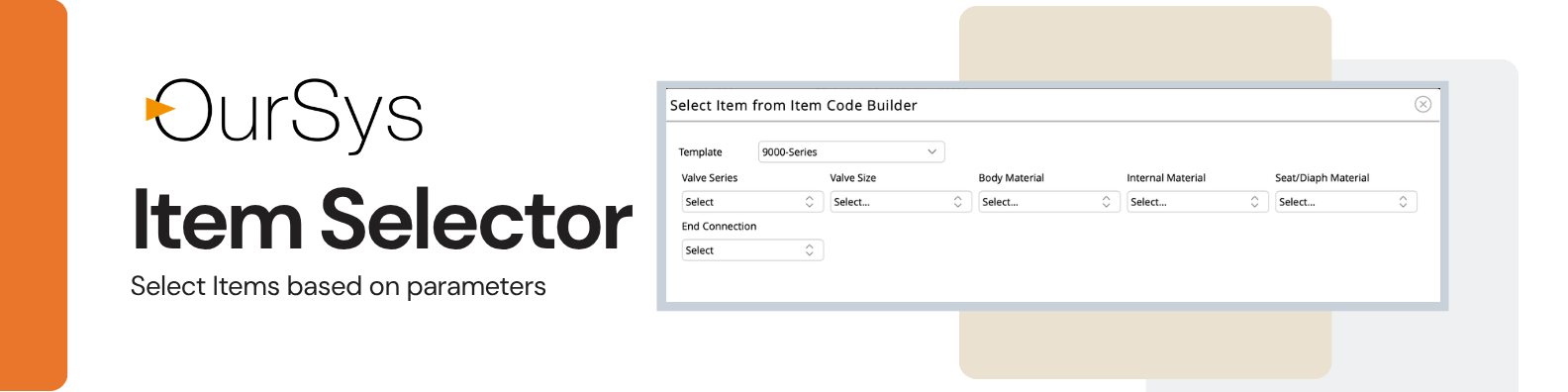
The Item Selector allows users to select items in Quotations, Sales Orders and Purchase Orders based on parameters, rather than having to remember or search for an Item Code or description.
Select an Item without Knowing the Item Code
With the traditional method of item selection, a user typically starts typing an Item Code or description. The system then searches the Item Master and displays matching records.
This works reasonably well when the number of items is limited.
But imagine an Item Master containing hundreds of thousands of items.
In such situations, even a simple search can become resource-intensive. Every character entered in the search box may trigger a search against the database, with matching records being retrieved from the server.
The OurSys Item Selector takes a fundamentally different approach.
There is no need to type the Item Code or description.
Instead, the user selects parameters in a predefined sequence. After each selection, the next parameter displays only the options that are actually available.
As the user continues selecting parameters, the number of possible items keeps reducing.
The result is a selection process that is:
- Simple for the user
- Fast even with very large Item Masters
- Less demanding on the server
- Less dependent on the user's knowledge of Item Codes
- Technically more accurate
It Starts with the Item Code Builder
The Item Selector works together with another OurSys capability-the Item Code Builder.
Before the Item Selector can be used, items need to be created in the Item Master using the Item Code Builder.
When an item is created through the Code Builder, the parameters selected while creating the item are stored along with the item in the Item Master.
This parameter information subsequently becomes the foundation for the Item Selector.
For example, a valve may be defined using parameters such as:
Series -> Size -> Body Material -> Internal Material -> End Connection -> Rating
When the item is created, these parameters are stored against the Item Master record.
Later, when a user needs to select a valve, the Item Selector uses this information to guide the user through the available combinations.
Every Parameter Narrows the Selection
Consider a simple valve example.
The user first selects a Series.
OurSys then displays only the sizes that are available in that particular series.
The user selects a Size.
The system now displays only the Body Materials available for that series and size.
The user selects the Body Material.
The system then displays only the available Internal Materials for that combination.
The process continues until all required parameters have been selected.
At every stage, the available choices become smaller.
This is important because the user is not simply searching for an item-they are constructing a technically valid selection.
Separating Item Creation from Item Selection
The Item Code Builder and Item Selector also provide an important control mechanism for organisations.
The Item Code Builder can be used to create items across virtually any permutation of defined parameters. Because this can potentially result in a very large number of item combinations, access to the Code Builder can be restricted to the Design or Engineering department.
The Item Selector, on the other hand, simply works with the items already defined in the Item Master.
Therefore, it can be made available to anyone who needs to select items-sales, purchase, stores, planning, production or other users.
This creates a useful separation:
Engineering defines what can exist.
Other departments select what they need.
This helps maintain better control over the Item Master while making item selection much easier for users.
Particularly Powerful for Large Item Masters
The Item Selector becomes particularly valuable when a company has lakhs of items and those items can be described through combinations of parameters.
In a conventional search, the user may type a few characters, the system searches the database, retrieves matching records and displays them. Repeating this process as the user types more characters can put considerable load on the server when the Item Master is very large.
With the Item Selector, the user does not continuously search the database by typing.
Instead, the system works with parameter-based selections.
This makes the process significantly more structured and scalable for large Item Masters.
From Item Selection to Parameter-Based Reporting
The benefits of parameterisation do not stop at item selection.
Once items are properly defined using parameters, the same parameter information can be used throughout the ERP system.
This becomes particularly powerful when combined with OurSys DIY Reports.
For example, instead of searching for individual Item Codes, a user could generate a stock report based on parameters such as:
- Product family
- Grade
- Diameter
- Size range
- Material
- Series
A user could, for example, ask for all items belonging to a particular family, made from a certain grade, with diameters between two specified sizes.
Multiple parameters can be combined to narrow down the report.
Similarly, a Sales Order report could be generated for items belonging to a particular series, with a particular Body Material, and within a specified size range.
The possibilities are extensive because the reports are no longer dependent only on Item Codes-they can work with the characteristics that define those items.
Advanced Parameter Relationships
There is an even more advanced version of the Item Code Builder.
In this approach, OurSys can control the relationship between parameters, rather than treating each parameter independently.
This means the system can understand which combinations are valid and which are not.
For example, a particular body material may be available only for certain sizes, or a particular internal material may be compatible only with specific body materials.
The system can therefore prevent a user from selecting a technically invalid combination.
This takes the concept beyond simple item searching.
The system becomes a mechanism for enforcing product definition rules.
OurSys has successfully implemented this advanced approach for industries including gearbox manufacturing and control valve manufacturing, where products can have complex combinations and dependencies between parameters.
A Different Way of Managing Complex Products
The Item Selector represents a shift from the traditional approach of:
"Search for the Item Code."
to:
"Define what you need, and let the system identify the valid item."
For companies whose products can be defined through combinations of parameters, this can make item selection faster, easier and significantly more reliable.
It also creates a common parameter structure that can be used not only for item creation and selection, but also for reporting and analysis.
In other words, parameterisation becomes a foundation for better ERP data management.
For earlier OurSys users:
If you are an existing OurSys user and would like to move to this parameter-based approach, it is possible to transition to the Item Selector.
The primary requirement is to define your existing items in terms of meaningful parameters.
Once the Item Master is structured around these parameters, the Item Selector can provide a much more efficient way for users across the organisation to find and select the right items.
For companies dealing with large and complex Item Masters, this can be a significant step towards making ERP simpler for users while making the underlying data more structured and technically accurate.